
Search and discover
Find any movie or show in seconds, or search by actor or director. Open a cast or crew profile to see their biography and full filmography, and jump straight to anything else they've made.
Find any movie or show in seconds, or search by actor or director. Open a cast or crew profile to see their biography and full filmography, and jump straight to anything else they've made.
See exactly where to watch, rent, or buy a title, with availability for the country you live in. Turn on the services you pay for and Limelight only shows what you can stream right now.

Know the moment a movie opens in theaters or lands on a service you pay for, and when a show you follow drops a new episode. Press and hold any title to mute it.

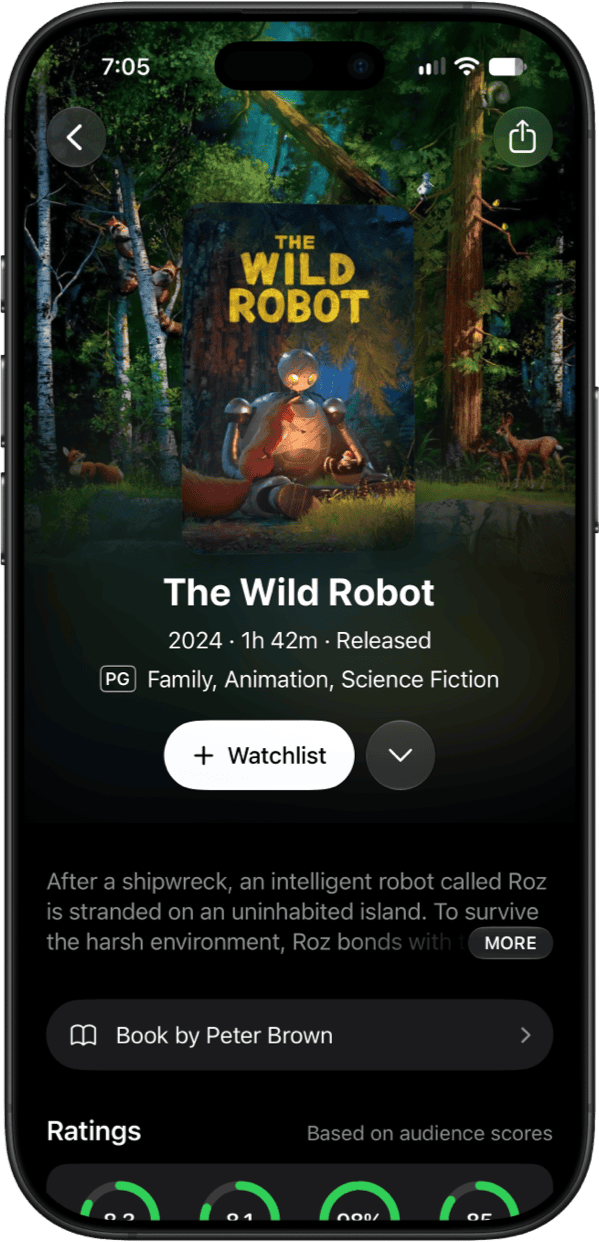
Make confident viewing choices with ratings from Rotten Tomatoes, IMDB, Metacritic, and TMDB, all in one place.

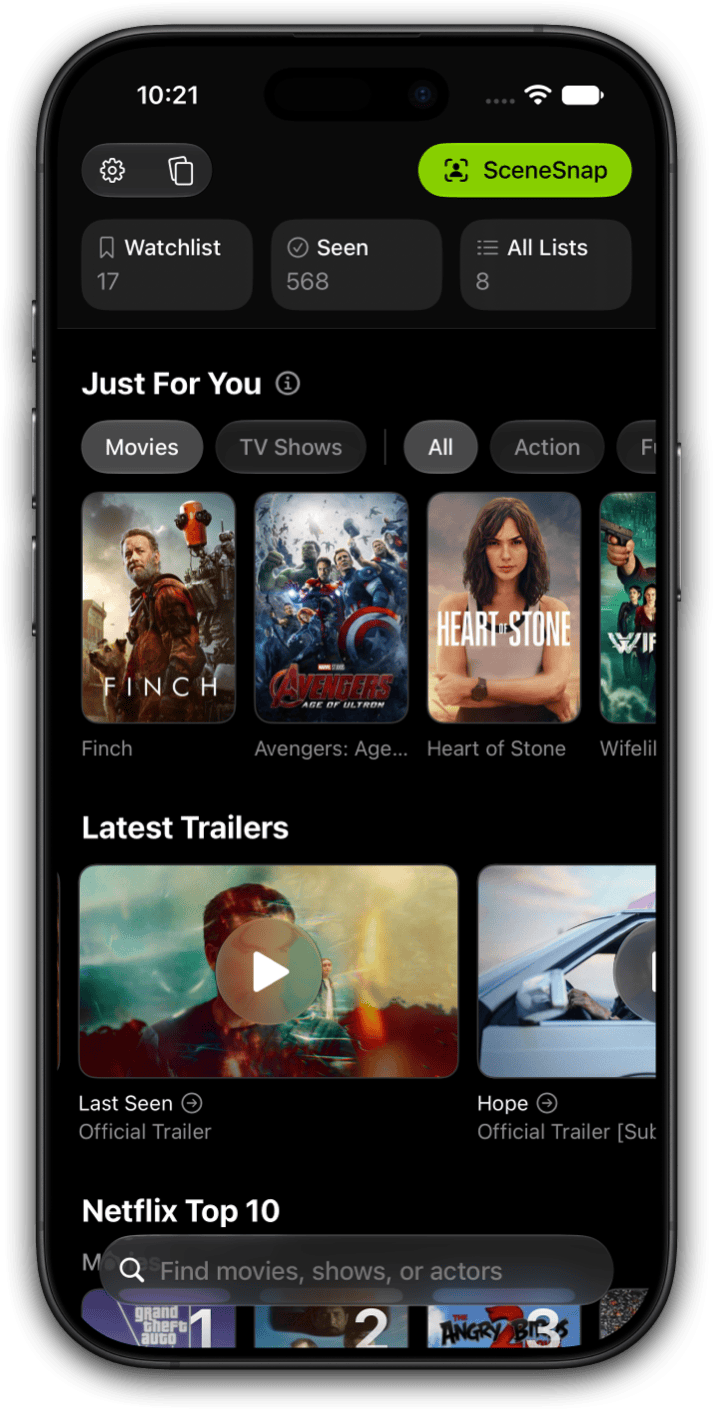
See what's trending in your country on Netflix, Amazon Prime, Paramount+, Hulu, HBO Max, Disney+, Peacock, Apple TV, and more.

Ever see a movie clip and wonder "What's that from?" Upload a short video and SceneSnap uses AI to identify what you're watching and who's in it. Launch it straight from Control Center.

Just for you learns from what you save and rate, skips anything already on your lists, and narrows by genre or mood. Tap Show Less Like This on any poster to fine-tune your feed.

Discover which books became movies or TV shows. Perfect if you want to read the book before watching.
Pick your country and see the services, availability, and Top 10 charts that apply where you live.
Swipe right to mark a title as seen, swipe left if you haven't seen it, and undo if you change your mind.
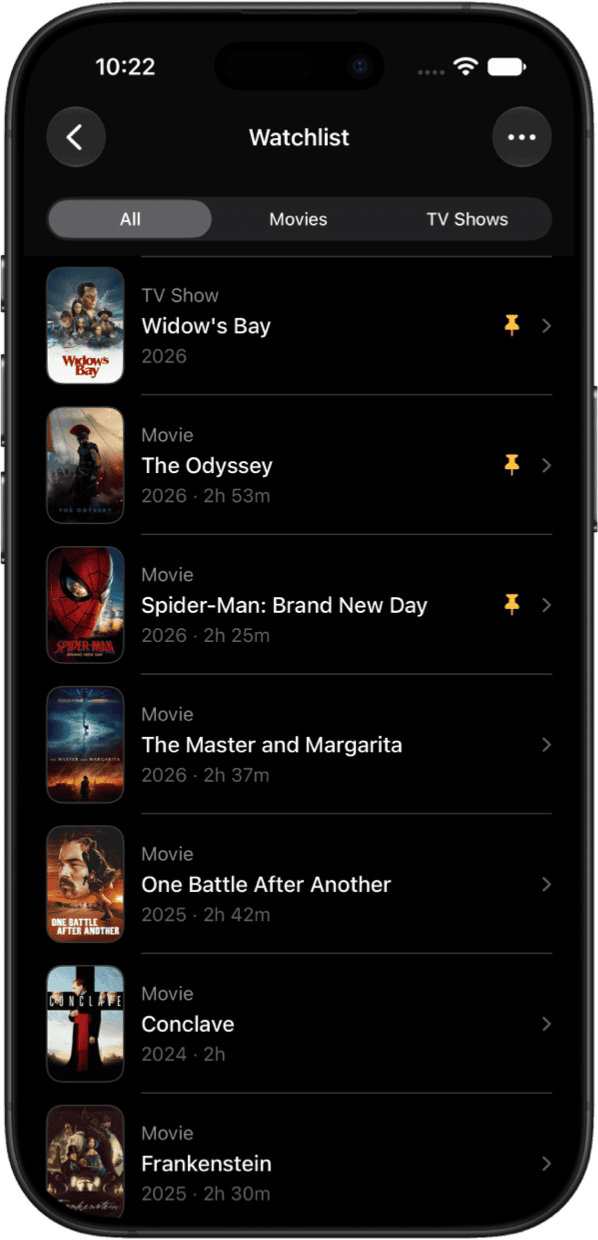
Save movies and shows you want to watch, so they're ready when you are.
Track everything you've watched and never lose your viewing history.
Rate what you've watched, and find every verdict in your Rated List.
Search any actor or director for their biography, age, and filmography.
Budget, revenue, languages, country, and studio or network for every title.
Watch trailers, teasers, and behind-the-scenes clips inside the app.
Send suggestions to family or share what you're watching with friends.
Pin must-watch titles so they stay at the top of your watchlist.
Build your own lists, from a franchise marathon to picks for the weekend.
See the newest episodes for every show you're following, in one place.
Titles that aren't out yet, based on your region's release calendar.
See which movies and TV shows the most people are watching today.
Not interested in something? Hide it and keep your feed relevant.
Your lists follow you, so what you save on one device is waiting on the next.
Widgets for your watchlist and what's trending, plus alternative app icons.
Ask Siri to open your watchlist or start QuickSort, or find titles in Spotlight.
Not a single ad anywhere in the app, including the free version.
We don't track, sell, or share your data, and analytics are yours to switch off.
Limelight is a movie and TV show tracker for iPhone, iPad, and Mac that answers two questions at once: what should I watch, and where is it streaming? Search any title, see which streaming services have it in your country, save it to your Watchlist, mark it as seen, rate it, and get personalized recommendations, all in one ad-free app.
Search the title in Limelight and its details page lists every streaming service that has it where you live, along with rental and purchase options. Turn on the services you pay for and Limelight can limit results to what you can stream right now. Availability updates as titles come and go, and release notifications tell you when something you are tracking arrives on one of your services.
The Just For You feed learns from what you save, rate, and mark as seen, and it skips anything already on your lists or hidden. Narrow it by genre or mood, or tap Show Less Like This on a poster to steer it. Home also shows what is trending today, the latest trailers, and a Coming Soon section built from your region's release calendar.
Yes. Limelight keeps a Watchlist for what you want to watch, a Seen List for what you have finished, and a Rated List for everything you have given a star rating. Pin must-watch titles to the top, hide anything you are not interested in, build custom lists, and everything syncs across your iPhone, iPad, and Mac.
Yes. Every title shows Rotten Tomatoes, IMDb, Metacritic, and TMDB scores side by side, so you can compare critic and audience opinion without opening four sites. Add your own five-star rating and Limelight uses it to sharpen your recommendations. Multi-source ratings are part of Limelight+.
Yes. Limelight+ includes Top 10 charts for Netflix, Amazon Prime Video, Disney+, Hulu, HBO Max, Paramount+, Peacock, Apple TV, and more, in 107 countries. Charts follow the country you select, so the Netflix Top 10 you see is the one for where you live. The country guides list which services are covered in each market.
Yes. Track a title and Limelight sends a notification when a movie opens in theaters, when a new episode airs, or when something arrives on a streaming service you pay for. Press and hold any tracked title to mute its alerts.
SceneSnap is Limelight's AI scene recognition feature. Upload a short video clip of a movie or TV show and SceneSnap identifies the title and the actors on screen, then opens the details page so you can see where it is streaming and add it to your Watchlist. You can launch it straight from Control Center. SceneSnap is part of Limelight+.
QuickSort is a fast way to sort through titles you already know. Swipe right to add a movie or show to your Seen List, swipe left if you have not seen it, and undo if you change your mind. A few minutes of swiping builds a viewing history that makes your recommendations better. QuickSort is part of Limelight+.
Limelight is free to download, privacy focused with no ads. Search, streaming availability, Watchlist, Seen List, star ratings, release notifications, trailers, cast and crew profiles, recommendations, and sharing are all free. Limelight+ adds SceneSnap, QuickSort, streaming Top 10 charts, multi-source ratings, unlimited custom lists, pinned Watchlist items, and hiding titles, for $2.99 a month or $24.99 a year.
Limelight runs natively on iPhone, iPad, and Mac, and your library syncs across all of them. It requires iOS 26 or later. There is no Android or web version; Limelight is built for Apple devices only.
Yes. Pick your country in Limelight and streaming availability, rental and purchase options, release dates, and Top 10 charts all switch to match. Limelight tracks streaming charts in 107 countries, including local services such as Stan and Binge in Australia, Crave in Canada, Hotstar in India, and Viaplay in Norway. See the country guides for what is covered where you live.
No on both counts. There are no ads anywhere in Limelight, including the free version, and Limelight does not track, sell, or share your personal information. Anonymous analytics are optional and can be switched off in Settings. The app is funded by Limelight+ subscriptions, not advertising or data harvesting.
Limelight uses a free account from The Movie Database (TMDB) to store your library, which is what keeps your Watchlist, Seen List, and custom lists in sync across your devices. Sign in with an existing TMDB account or create one in about 30 seconds. Limelight has no servers of its own holding your personal data.
JustWatch is built around streaming search, Letterboxd around film diaries and reviews, and TV Time, which shut down in 2026, around episode tracking. Limelight combines search, streaming availability, tracking, ratings, and recommendations in one ad-free app for iPhone, iPad, and Mac, and adds features the others lack, such as SceneSnap scene recognition and QuickSort. Read the full comparison, or the guides for moving from TV Time and Letterboxd.
Limelight is built by Jordan Kennedy, an independent developer in Nashville, Tennessee. There is no company behind it, just one person who wanted a better way to find something to watch and who uses the app every day. Questions and feedback go to hello@thelimelight.app or the contact page.


One app for everything you stream. Find where to watch, track what you've seen, and discover your next favorite movies and shows.

 iPhone
 iPad
iPad Mac
Mac