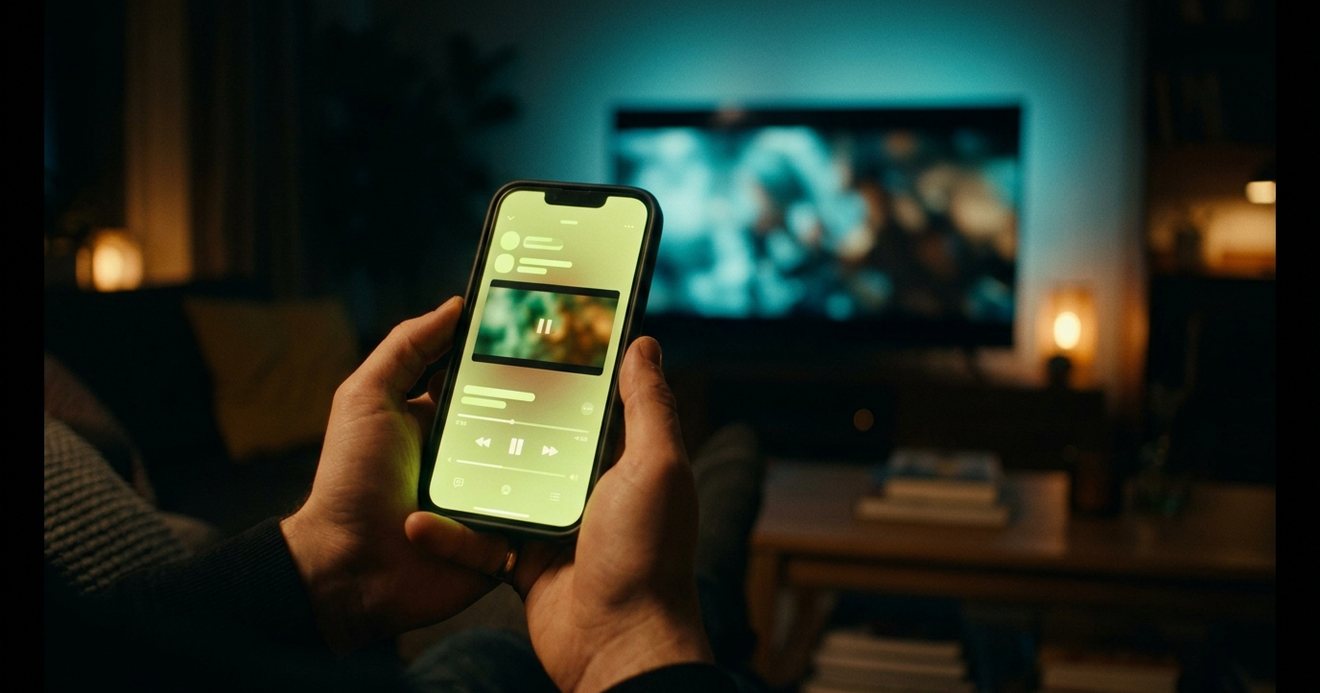
The fastest way to identify an actor from a video is to run the clip through SceneSnap in Limelight, which names the title and the actors on screen in seconds. If you already know the film, its cast list is quicker. Reverse image search works for famous faces on a clear frame.
Everyone has had the moment. A clip comes up on your phone, a face in it is unmistakably someone, and the name will not come. Was he the dad in that thing? Was she in the show with the boat? The question is small, and it will ruin the next hour if you let it. The good news is that identifying an actor from a video has become a solved problem in the last couple of years. The methods below are ranked by how fast they work, so start at the top and stop when you have the name.
What is the fastest way to identify an actor from a clip?
Upload the clip to SceneSnap. It is a feature in Limelight that takes a short video of a movie or TV show, whether saved from social media or screen-recorded from your TV, and identifies what it is and who is on screen. You get the title, the scene, and the actors, and the result opens the title's page, where the full cast list, ratings and where to stream it are waiting. It takes about ten seconds and it does not need you to know anything about the film.
The engineering behind it is written up in how I built AI scene recognition. Two details make it work when other methods do not. It looks at the whole clip, not one frame, so a face in profile or in motion is fine. And because it identifies the film first and the actor second, it handles the case people find hardest: a character actor you have seen a dozen times whose name you have never learned. SceneSnap is part of Limelight+, and it has a Control Center button on iPhone so it is one swipe away when the clip is playing.
Name any scene in seconds
SceneSnap in Limelight identifies a movie or show and the actors in it from a short clip, then shows you where to stream it. Free to download on iPhone, iPad, and Mac.


What if I already know the movie or show?
Then the cast list is the answer, and the only trick is reading it in the right order. On the title's page in Limelight, the cast is listed with character names, so if you know the character was "the neighbor" or "Detective Reyes", you scan for that rather than for a face. Tap the name and the person page gives you their biography, age, and full filmography, which is usually where the second question, "what else have I seen them in?", gets answered. IMDb does the same; it just takes more taps and shows more ads.
For TV, note the episode. Guest actors appear in a single episode's credits and not in the series cast list, so a face from one episode of a long-running show will be missing from the top of the page. The episode's own cast list has it.
Does reverse image search work for actors?
For famous faces, yes, most of the time. Pause the clip on a clear, front-facing frame, take a screenshot, and run it through Google Lens or a reverse image search. If the actor is well known and the frame is a good one, the results will include their name and often the film itself. The success rate drops quickly for supporting actors, for faces in profile, for dim scenes, and for anything older than about twenty years, because there are simply fewer indexed photos to match.
A better use of reverse image search is confirming a guess. If you think it might be a particular actor, searching their name plus the film's year and checking the images takes seconds and settles it.
How do I identify an actor if I can't pause the clip?
Describe what you saw to a search engine, in plain words, as specifically as you can. "Actor with red hair who played a lawyer in a Netflix show about a cult" is a real query that gets real answers, because the AI-generated answers at the top of search results are now good at exactly this kind of fuzzy matching. Include anything distinctive: an accent, a scar, a role you half remember, the era of the clothes. If you know the name of one other actor in the scene, search for them with the film's title and read the cast list.
If you remember a line of dialogue, search it in quotation marks. Quotes are indexed on a dozen sites, and the line usually gives you the film, which gives you the cast.
When should I ask a forum?
When everything else has failed and the question is still bothering you. The tip-of-my-tongue communities on Reddit are astonishingly good at faces, especially if you can post the clip or a screenshot. Give them everything: where you saw it, roughly when it was made, what the actor looked like, what the scene was about. Answers usually arrive within an hour and often within minutes, but it is a queue, not a lookup, so it belongs at the bottom of the list.
Can the streaming app itself tell me who is on screen?
Sometimes. Prime Video's X-Ray shows the actors in the current scene when you pause or tap the screen, and it is the best built-in version of this feature. Other services show a cast list for the title but not for the scene, which puts you back at reading names in order. None of them help with a clip that came from social media, which is where most of these questions start, and which is why a tool that works from the clip itself is the one worth having.
Which method should I use?
Use SceneSnap when you have the clip and want the answer now. Use the cast list when you know the title. Use reverse image search when the face is famous and the frame is clear. Describe it to a search engine when you cannot pause. Ask a forum when it is still bothering you at midnight. And once you have the name, open the person page: the filmography is where the face finally attaches to the three other things you have seen them in, which is the part that actually scratches the itch.
The face, the name, and everything else they've been in
Limelight identifies the scene, opens the cast, and links every actor to a full filmography. Free on iPhone, iPad, and Mac, privacy focused with no ads.
What to do once you have the name
Then find out where it is streaming and save it. The thing that made you look the actor up is usually a sign you want to watch more of them, and the person page in Limelight makes that a one-tap job: every title in their filmography links to a page with where it is streaming in your country, so you can add three of them to your watchlist before the clip has finished looping. If you want the same method for identifying the movie rather than the actor, our guide to identifying a movie from a single scene covers it.
Frequently asked questions
Yes. SceneSnap, a feature in the Limelight app for iPhone, iPad, and Mac, identifies a movie or TV show and the actors on screen from a short video clip, then opens the title's cast list and where to stream it. It is part of Limelight+.
Often. Reverse image search on a clear, front-facing frame works well for well-known actors. For supporting actors or dim scenes it is unreliable, and identifying the film first, then reading its cast list, is the surer route.
Search the character name with the film or show's title, or open the title's page in Limelight, where the cast list shows character names next to the actors. Tap a name for their filmography.
Series cast lists show regular and recurring roles. An actor who appears in one episode is credited on that episode, so check the episode's own cast list rather than the series page.
Open their person page. In Limelight it lists their biography, age and full filmography, with each title linking to where it is streaming. That is usually the moment the face attaches to the other roles you remember.